


Jeep Renegade & Wrangler Wireless CarPlay AI Box Guide
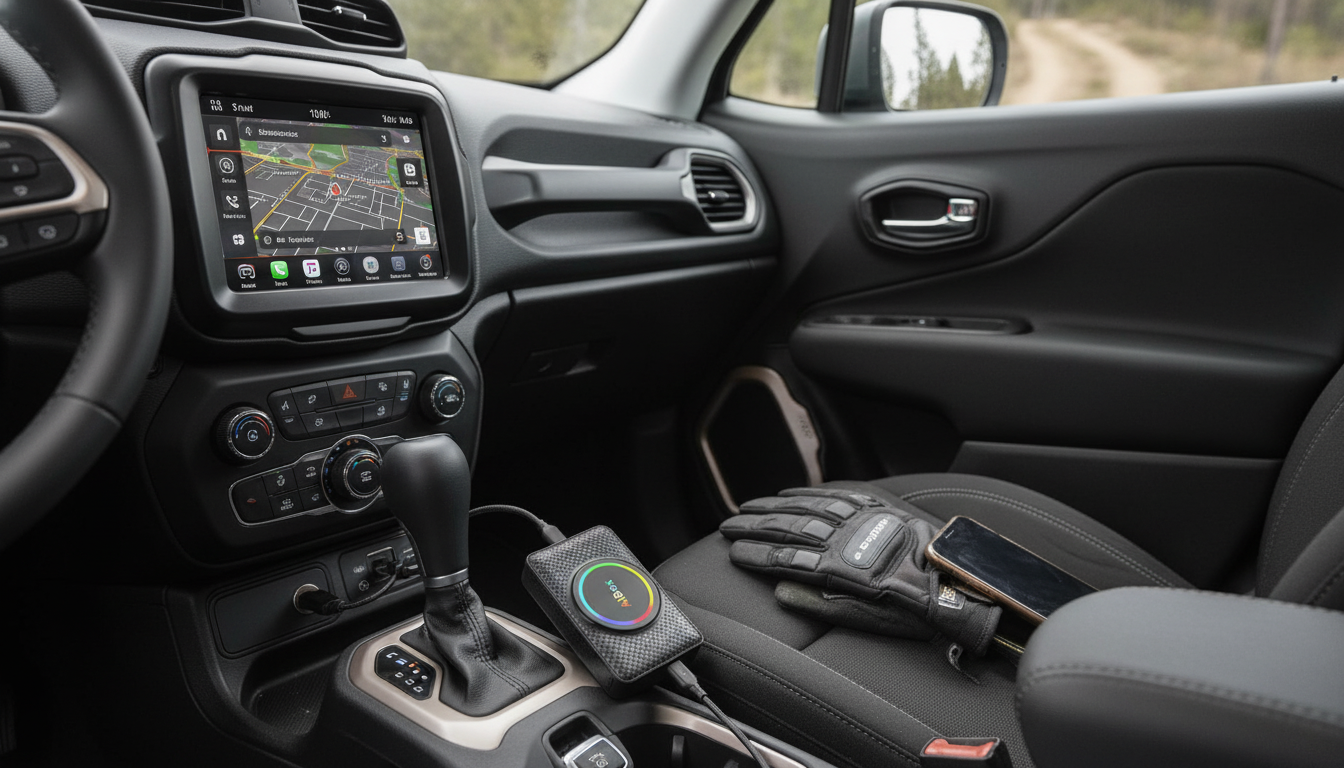
Wireless CarPlay & Android Auto AI Box for Jeep Renegade and Wrangler
A Jeep cockpit is built for quick decisions and rough roads, but the infotainment experience can feel dated when cables, limited apps, or slow interfaces get in the way. A wireless CarPlay & Android Auto AI box is a plug-in upgrade that helps bring a cleaner, more modern experience to the factory screen—keeping navigation, calls, music, and messaging easier to manage on daily drives and weekend trails.
What an AI Box Does in a Jeep Cabin
An AI box connects to your Jeep’s existing infotainment system and uses the factory display you already have. If your head unit supports wired CarPlay and/or wired Android Auto, an AI box typically “converts” that wired connection into a wireless one, so your phone can stay in your pocket, console, or on a charging pad.
- Connects to the vehicle’s existing infotainment system so the factory display can run wireless CarPlay and wireless Android Auto.
- Reduces cable clutter by keeping the phone put away while maintaining a stable connection.
- Creates a more phone-like interface on the dash for maps, audio apps, hands-free calling, and messaging.
- Useful for stop-and-go commuting as well as vibration-heavy off-road routes where plugging and unplugging a cable is inconvenient.
Why Wireless Matters for Renegade and Wrangler Driving
Renegade and Wrangler cabins are functional and compact, and that’s exactly why “no cable needed” can feel like a quality-of-life upgrade. Instead of hunting for a cord on every start-up, you get an interface that tends to come alive automatically once paired.
- Easier short trips: no need to connect a cable for quick errands or school runs.
- Cleaner dashboard workflow: fewer dangling cords around shifters, 4WD selectors, and cupholders.
- More consistent access to voice assistants for navigation changes, call replies, and music control when hands need to stay on the wheel.
- Better cabin organization for trail gear, passengers, and pets—fewer accessories to snag or get pulled loose.
For safer habits, using hands-free features and keeping your phone off your lap also aligns with guidance around reducing distraction while driving from the NHTSA.
Compatibility Checklist Before Buying
Most “wireless converter” AI boxes depend on an existing factory wired feature. A quick pre-check helps avoid frustration and makes setup feel like a true plug-in upgrade rather than a troubleshooting project.
- Confirm the Jeep head unit supports factory wired CarPlay and/or wired Android Auto; most AI boxes rely on the existing wired capability.
- Check phone requirements: iPhone for CarPlay, Android phone for Android Auto (and keep OS updated).
- Verify USB port type and location (USB-A vs USB-C) and whether the port is data-capable (not charge-only).
- Consider whether the Jeep is used with multiple drivers—quick switching between phones can be a priority feature.
Quick Fit Check for a Wireless CarPlay/Android Auto AI Box
| Item to check | What to look for | Why it matters |
|---|---|---|
| Factory system support | Wired CarPlay/Android Auto present | AI boxes typically convert wired to wireless |
| USB port | Data-enabled port in console/dash | Charge-only ports can prevent connection |
| Phone readiness | Latest iOS/Android, Wi‑Fi + Bluetooth enabled | Wireless projection depends on both |
| Driving environment | Daily commute vs off-road vibration | Helps prioritize stability and ease of reconnection |
| Multiple users | Need fast pairing/phone switching | Reduces frustration in shared vehicles |
How Setup Typically Works
Setup is usually a one-time pairing process, and after that most drivers treat it like an “automatic” feature—start the Jeep, wait a moment, and the familiar CarPlay/Android Auto screen appears.
- Plug the AI box into the Jeep’s CarPlay/Android Auto USB port using the included cable or a compatible alternative.
- Pair the phone via Bluetooth/Wi‑Fi as prompted on the infotainment screen for wireless operation.
- Allow required permissions (contacts, notifications, microphone) for calls, messaging, and voice control.
- After initial pairing, the connection usually resumes automatically when the vehicle starts.
For platform specifics, Apple’s CarPlay User Guide and Google’s Android Auto Help are useful references when adjusting phone settings or permissions.
Everyday Features That Make Driving Easier
The best part of a wireless setup is that it removes friction—especially the small annoyances that add up over weeks of commuting.
Trail and Road-Trip Use: What to Expect
Common Issues and Quick Fixes
A Simple Upgrade Option for Jeep Owners
Recommended Add-Ons (In Stock)
- Wireless CarPlay & Android Auto AI Box for Jeep, Renegade & Wrangler
- 3-in-1 Bottle Gap Cleaner Brush (handy for cleaning cupholders/console crevices after dusty trail days)
- Portable Eye Massager (a comfort add-on for breaks during long road trips)
FAQ
Will this work if the Jeep does not have wired CarPlay or wired Android Auto?
Most AI boxes require the Jeep’s factory system to already support wired CarPlay and/or wired Android Auto. If your head unit doesn’t have those features, you’ll typically need a different upgrade path such as an aftermarket head unit or an OEM retrofit.
Does wireless CarPlay or Android Auto drain phone battery faster?
Yes, it can use more battery because the phone maintains wireless data connections and runs navigation/audio in the background. For longer drives, using a charger or a charging pad helps keep battery levels steady.
Why does the connection sometimes fail to start when the Jeep turns on?
Check that Bluetooth and Wi‑Fi are enabled on the phone, confirm you’re plugged into the correct data USB port, and try restarting the phone or infotainment system. If it persists, “forget” the device and re-pair, and make sure another paired phone isn’t taking priority.















Leave a comment