


Choose a Phone Holder for Dashboards That Fits
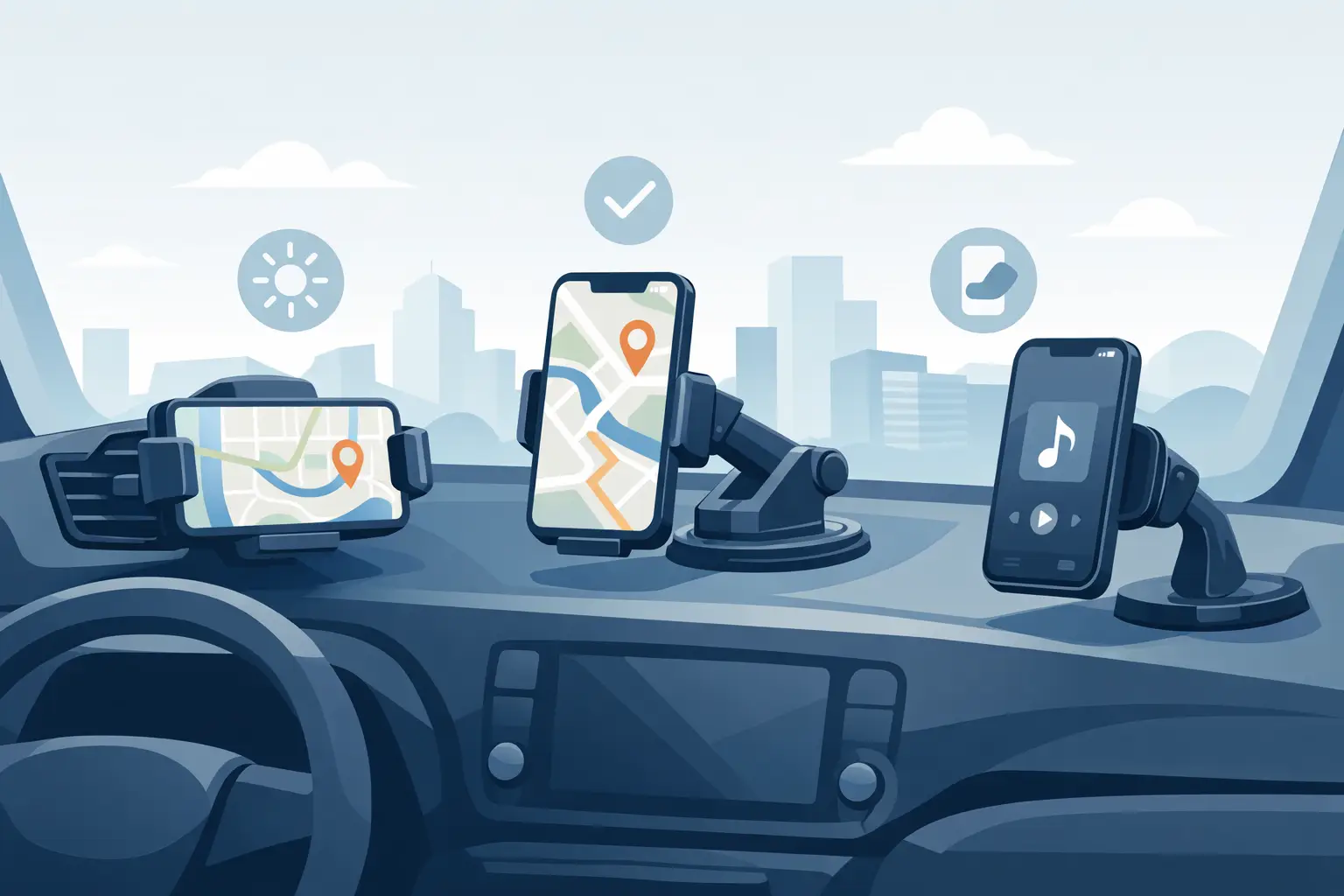
A loose phone in a cup holder may work for one short drive, but it becomes frustrating the moment you need directions, take a hands-free call, or change a playlist at a stoplight. The right phone holder for dashboards gives your screen a consistent place to sit, helping you keep navigation within view without searching for your device between the seats.
For everyday commuters, delivery drivers, road-trippers, and anyone who relies on their phone in the car, the best choice is not always the biggest or most expensive mount. It is the one that fits your dashboard surface, holds your specific phone securely, and places the screen where it is easy to see without blocking the road.
Start With Your Dashboard Surface
Dashboard material has more to do with mount performance than many shoppers expect. Smooth, flat plastic surfaces usually work well with adhesive pads, suction bases, and some weighted mounts. Textured, curved, soft-touch, or heavily grained dashboards can be less friendly to adhesives and suction cups, especially during hot summer weather.
Before choosing a holder, look at the area where you plan to place it. Is there a level spot within reach? Is the surface clean and firm? Will the mount interfere with vents, controls, hazard buttons, or an in-dash display? A holder that looks compact in product photos can take up more usable dashboard space than expected in a smaller vehicle.
Adhesive dashboard mounts can offer a clean, low-profile setup, but they are often meant to stay in one place. They are a good option if you already know the ideal position and do not plan to move the holder between vehicles. If you switch cars often or prefer a temporary setup, a weighted, non-slip base may be more practical. It can sit on the dash without permanent attachment, though it may shift on sharp turns if the base is too light or the dashboard is steeply angled.
Choose the Right Phone Holder for Dashboards
A dashboard mount should match the way you use your phone while parked or driving hands-free. Most designs fall into a few useful categories, and each one has trade-offs.
Clamp-style holders use adjustable side arms to grip the phone. They work with many phone sizes and are a flexible choice for households where different drivers use different devices. Look for padded arms and a secure release button, particularly if you have a larger phone or use a thicker protective case.
Magnetic holders offer a faster one-hand connection. They are convenient for frequent trips, but they usually require a compatible magnetic case, metal ring, or mounting plate. Check that the magnet is strong enough for your phone size and that the placement does not affect wireless charging if that feature matters to you.
Cradle-style holders support the phone from the bottom and sides. They can be a dependable option for heavier devices and are often easier to use with charging cables. The trade-off is that they may take a little longer to load and remove than a magnetic mount.
Some drivers prefer a mount with a telescoping arm or adjustable ball joint. These features help position the screen closer to the driver and allow portrait or landscape viewing. Extra adjustability is useful, but long arms can vibrate on rough roads. If your usual route includes uneven pavement, a shorter, more stable arm may provide a clearer view.
Check Fit Before You Order
Phone compatibility means more than whether a holder can physically open wide enough. Measure your phone with its case on, then compare that size with the holder’s listed range. Thick wallet cases, pop grips, battery cases, and foldable phones may need a wider cradle or a mount designed for larger devices.
Also consider how you charge your phone. A bottom-grip mount can block the charging port on certain models, while a side-clamp design may leave it accessible. If you use a wireless charging pad or magnetic charging system, confirm that the holder does not force you to remove your case or add an accessory that changes how charging works.
Screen orientation matters, too. Landscape mode is popular for maps and longer route guidance, while portrait mode can be more comfortable for calls, music, and standard apps. A rotating holder gives you both options. For drivers who use navigation regularly, that simple adjustment can make the mount more useful over time.
Put Visibility and Safety First
A phone mount should support safer, simpler access to navigation, not create a new distraction. Position the device low enough that it does not block your view of the windshield, mirrors, instrument cluster, or important vehicle controls. Local rules can vary by state and city, so it is smart to check the requirements where you drive before settling on a final placement.
The best location depends on your vehicle. In a tall SUV or truck, the dashboard may offer a broad, level mounting area. In a compact sedan, a mount placed too high can quickly crowd the windshield. Try sitting in the driver’s seat and holding your phone where you think the mount will go. If you have to turn your head significantly, stretch to reach it, or look away from traffic for too long, choose a different position.
Set your navigation route, music, and calls before moving whenever possible. A stable phone holder reduces fumbling, but it does not make scrolling or typing while driving safe. Use voice controls or pull over when you need more than a quick glance.
Installation Details That Make a Difference
Even a well-made holder can fail if the mounting surface is dusty or oily. Wipe the dashboard area with a cleaner appropriate for the material, then let it dry completely before attaching an adhesive pad or suction base. Avoid applying adhesive mounts in extreme cold or heat, since temperature can affect how well they bond.
Follow the product instructions about cure time. Some adhesive bases need several hours before they can carry the weight of a phone. Attaching your device too soon can weaken the bond and leave residue if the mount pulls away.
Once installed, test the holder while parked. Insert the phone, adjust the viewing angle, connect the charging cable if needed, and gently check for movement. If the arm shakes or the base slides, correct it before driving. A small change in angle or placement can make the setup feel much more secure.
Shop for Features You Will Actually Use
It is easy to pay for extra features that sound useful but do not fit your routine. A commuter who uses maps twice a day may value fast one-hand mounting and reliable charging access. A family sharing one car may need adjustable grips that fit several phones. A rideshare or delivery driver may prefer an extended arm and quick release for repeated stops.
Focus on secure grip, dashboard compatibility, easy adjustment, and clear access to your phone’s buttons and port. Then consider convenience features such as 360-degree rotation, cable clips, folding arms, or magnetic attachment. Value is not only about the lowest price. A holder that stays in place, protects your phone, and remains easy to use can save you from replacing cheaper mounts that do not hold up.
Vespena makes it easier to compare practical automotive accessories alongside other everyday essentials, so you can choose a setup that works for your vehicle and your routine without adding extra shopping stops.
A phone mount should feel almost invisible once it is in place: your route is easy to check, your device stays secure, and your dashboard remains organized. Take a minute to match the holder to your car and phone before ordering, and each drive can start with one less distraction.













Leave a comment