


TWS Wireless Gaming Earbuds for Low-Latency Mobile Play
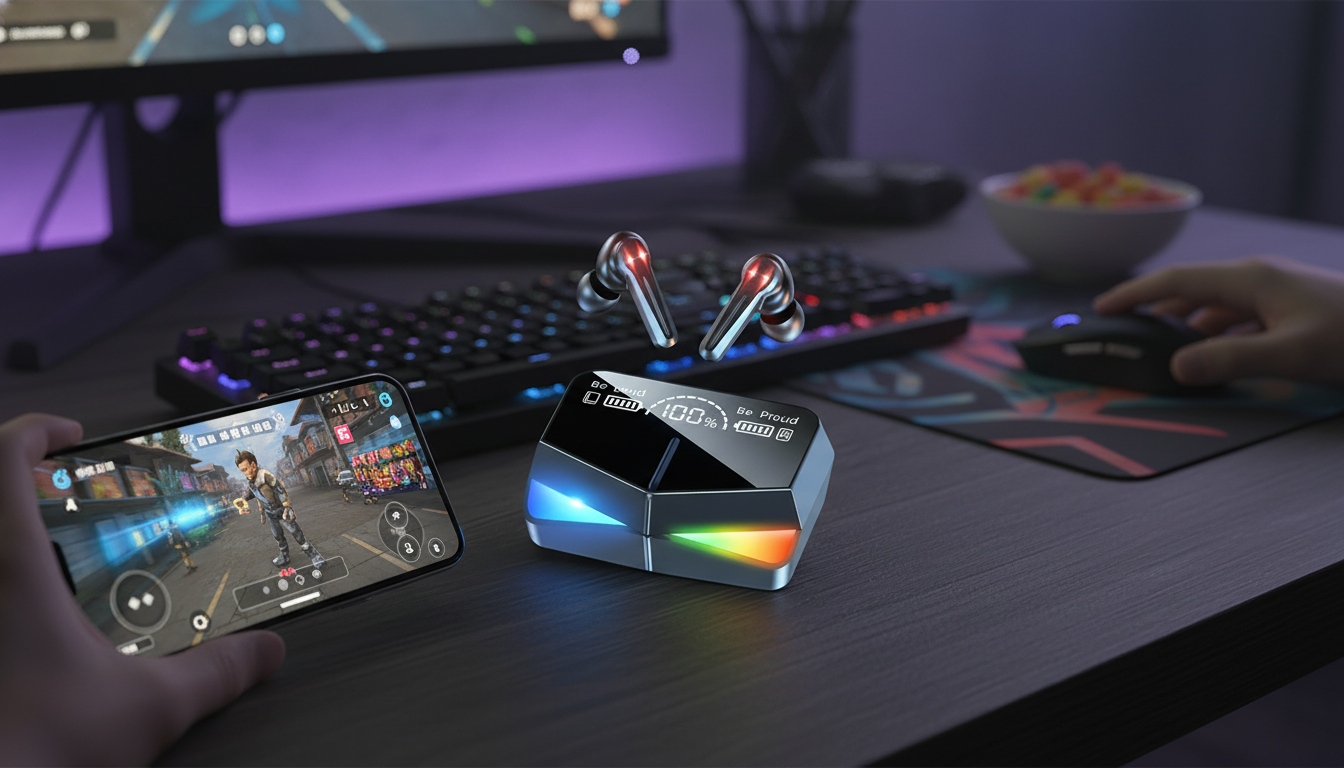
TWS Wireless Gaming Earbuds: Low-Latency Sound for Mobile Play
Fast reaction times in games depend on audio that stays in sync with the action. These TWS wireless gaming earbuds are built for portable gaming sessions, voice chat, and everyday listening—without the cable clutter. Whether you’re grinding ranked on your phone, watching streams on a tablet, or taking calls between matches, a compact pair of earbuds plus a pocket charging case can keep your setup simple and ready to go.
What Makes Earbuds Good for Gaming
Gaming with earbuds is less about booming bass and more about timing, clarity, and comfort. The best picks focus on consistent performance across real-world situations—like noisy dorms, commutes, and crowded wireless spaces.
- Low perceived delay: Footsteps, shots, reloads, and ability cues should line up with what you see on-screen so reactions feel natural.
- Stable wireless connection: A steady link helps prevent dropouts and stutter, especially around heavy Wi‑Fi and Bluetooth traffic.
- Clear mic performance: Team chat works best when your voice stays understandable without sounding harsh or distant.
- Comfort and secure fit: Long sessions are easier when the earbuds sit gently, stay put, and don’t create pressure hotspots.
- Simple controls: Quick play/pause, call handling, and track control help you adjust without leaving the game or digging through settings.
Bluetooth is continuously evolving, and device behavior can vary by phone, tablet, and app. For deeper technical background, the Bluetooth Core Specification is the definitive reference for how the standard works across versions and profiles.
Quick Look: TWS Wireless Gaming Earbuds
If you want a budget-friendly way to add cable-free audio to a mobile gaming setup, the TWS Wireless Gaming Earbuds are designed for on-the-go use with a pocketable charging case for storage and recharging. They’re a practical match for mobile games, videos, and everyday listening—especially when portability matters as much as sound.
At-a-glance checklist for gaming earbuds
| Feature to check | Why it matters | What to look for |
|---|---|---|
| Latency | Keeps sound synced to gameplay | Gaming/low-latency mode or consistently tight audio-video sync |
| Connection stability | Prevents dropouts and stutter | Reliable pairing and stable performance in crowded wireless areas |
| Microphone clarity | Improves team communication | Voice that stays intelligible without harsh noise |
| Fit & comfort | Supports longer sessions | Secure feel with minimal pressure; stays in during movement |
| Battery & case | Extends total play time away from outlets | Earbuds plus recharging from a pocket case |
| Controls | Quick adjustments mid-match | Easy play/pause, call handling, and track control |
How to Use Them for the Best Gaming Experience
A few setup habits can make wireless earbuds feel more consistent in-game, especially on mobile devices where background apps and radio congestion can affect performance.
- Fully charge before the first long session: Topping off both the case and earbuds helps stabilize battery reporting and avoids mid-match surprises.
- Pair once, reconnect fast later: After the initial pairing, use your device’s Bluetooth menu to reconnect quickly for future sessions.
- Enable useful in-game cues: If your game supports it, turn on footsteps/directional indicators and keep audio set to stereo for better left/right positioning.
- Reduce interference: Keep your phone or tablet within a clear line of sight when possible, and avoid covering antennas with your hand while playing.
- Use comfortable volume: Set a moderate volume and fine-tune balance in the game’s audio settings. Long sessions at high volume can lead to fatigue.
For hearing health guidance and practical exposure recommendations, reference NIOSH safe listening information, especially if you play in loud environments.
Fit, Comfort, and Wearing Tips
Comfort is performance. If your earbuds don’t seal properly or shift around, you lose positional cues and may turn the volume up higher than needed.
- Pick ear tips that create a gentle seal: Too loose can reduce bass and directional detail; too tight can cause pressure and soreness.
- Stabilize with a slight rotation: Insert and rotate subtly until the earbuds sit flush and feel secure.
- Keep tips clean: Regular cleaning helps maintain grip and preserves clarity by preventing buildup from blocking the sound path.
- Take short breaks: A quick pause every so often helps reduce ear fatigue during longer play sessions.
After extended screen time, a quick recovery routine can also help you reset between matches. If you want a compact add-on for downtime, the Portable Eye Massager is an easy-to-pack option for breaks at home, school, or while traveling.
Battery, Charging Case, and Daily Carry
One of the biggest perks of true wireless earbuds is the charging case—both a protective shell and a portable power reserve. A little care keeps it reliable day after day.
Common Issues and Simple Fixes
A Practical Pick for Mobile Gaming on a Budget
For casual sessions and competitive matches alike, a dependable set of wireless earbuds can make mobile play feel smoother—especially when timing and audio cues matter. The TWS Wireless Gaming Earbuds are easy to keep in a bag or pocket, simple to switch between gaming and streaming, and convenient for calls without swapping gear. For the latest price and availability, check the product page.
FAQ
Do wireless earbuds work well for gaming?
Yes—especially for mobile gaming. The experience depends on stable Bluetooth performance and low perceived delay, and it improves when your device stays close and interference is minimized.
How can audio delay be reduced on a phone?
Restart the game, close background apps, reconnect Bluetooth, and keep the phone close to the earbuds. If your device or earbuds offer a low-latency or gaming mode, enable it.
Why does one earbud sometimes disconnect or go quiet?
This is often a pairing sync issue or dirty charging contacts. Re-seat both earbuds in the case, clean contacts gently, then forget and re-pair the earbuds in Bluetooth settings.















Leave a comment