


720° Rotation Phone Holder: Stable, Full-Angle Viewing
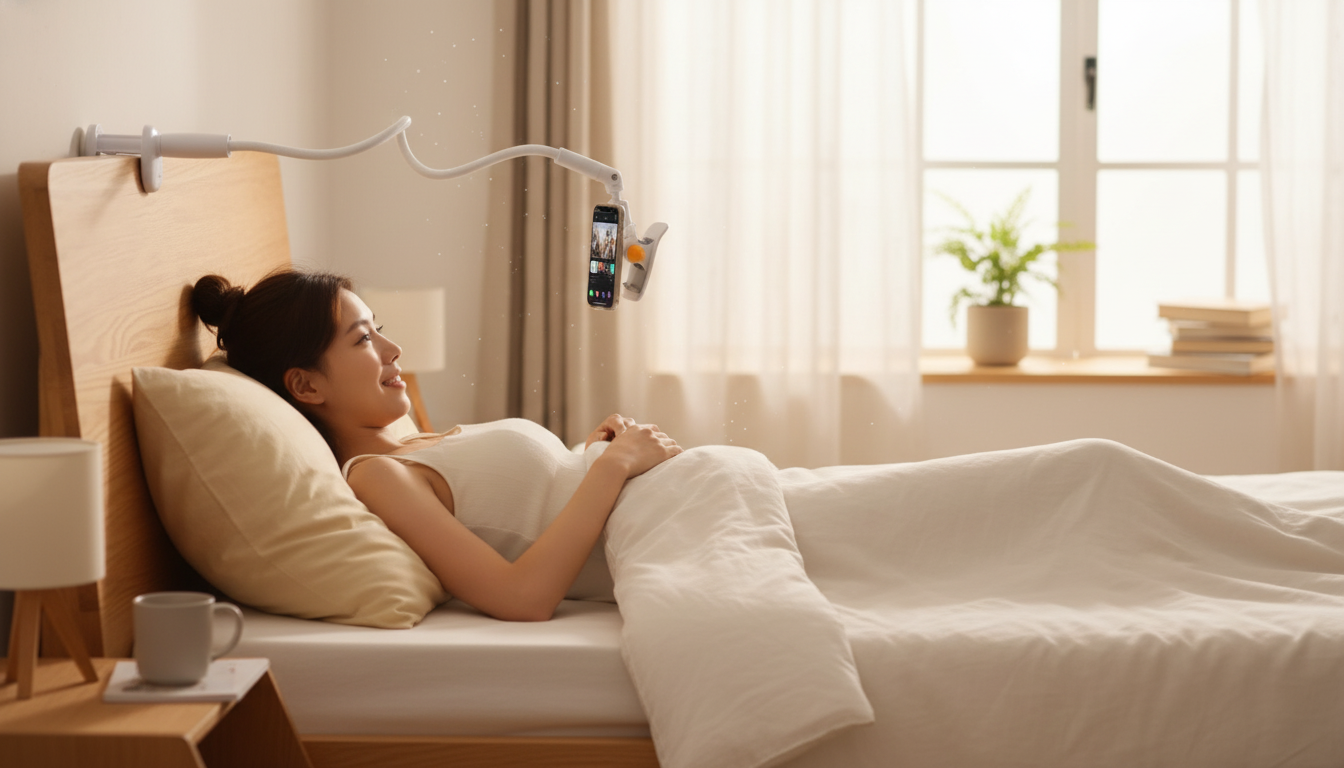
720° Rotation Phone Holder: Flexible Viewing Without Constant Repositioning
A rotation phone holder makes it easier to keep a screen at a comfortable viewing angle—whether for navigation, video calls, or hands-free content. A 720° rotating design adds a wider range of controlled movement, helping you re-aim the phone quickly without peeling off the mount or redoing the base placement. Below is what that extra rotation changes, where it’s most useful, and how to set it up for a stable, safer everyday experience.
What a 720° rotating holder changes
A “720°” design typically refers to broad adjustability across multiple axes (for example, rotating plus tilting), not a single loose spin. The practical difference is how quickly you can reframe the screen for the moment.
- Two-axis rotation: Switch between portrait and landscape fast, without re-mounting the base or shifting where it’s attached.
- Fine angle control: Small tilt and swivel changes make it easier to align the display closer to eye level, which can help reduce glare and neck strain.
- Faster task handoff: Move from navigation to a call to music controls in seconds, because the phone can be re-aimed instead of removed and re-seated.
Everyday uses that benefit from full-angle rotation
Full-range rotation is most noticeable when you’re frequently changing where you’re standing or sitting—or changing what the phone is doing.
- Driving: Keeps maps readable with fewer mid-trip adjustments, helping reduce the urge to handle the phone.
- Work calls and streaming: Makes it easier to center the camera and keep your face framed, especially when switching between apps or orientations.
- Cooking, workouts, and tutorials: Quick tilt changes keep the screen visible from different distances and heights (countertop, mat, treadmill, etc.).
- Shared viewing: Rotate the phone toward a passenger or friend without moving the mount itself.
Stability basics: what keeps a rotating mount from wobbling
More movement doesn’t have to mean more wobble. Most instability comes from installation basics or how weight is distributed around the joint.
- Mounting surface matters: A clean, dry, flat surface generally improves grip and reduces vibration. Dust, dashboard dressing, and skin oils can all weaken contact.
- Balance the phone: Center the device in the clamp/attachment area so the joint isn’t constantly fighting uneven weight (especially with heavier phones or thick cases).
- Use small adjustments: Big angle changes are often easiest in two steps—rotate first, then tilt—so you don’t over-torque the joint in one motion.
- Re-check after temperature changes: Heat and cold can affect adhesives and flexible parts on many holders. After a hot afternoon or cold morning, confirm the mount still feels solid.
Setup tips for a cleaner, safer view (especially in a car)
A holder is most helpful when it supports quick glances and hands-free use—not when it tempts constant fiddling. Road safety agencies consistently warn that distraction is a major crash risk, so treat setup as a “parked task,” not a “driving task.” For more on why this matters, see NHTSA’s distracted driving guidance and the CDC’s overview on distracted driving.
- Choose a non-obstructive spot: Place the screen where it can be glanced at without blocking your road view, and avoid areas that could interfere with airbags or critical controls.
- Set the angle before moving: Do rotation/tilt adjustments while parked, then leave the device in place during travel.
- Manage the charging cable: Route it so it doesn’t tug on the phone or cross steering, shifting, or pedal areas. Cable pull is a common cause of slow drift.
- Reduce glare: A slight downward tilt often cuts reflections while keeping the display readable.
Quick comparison: typical holders vs. a 720° rotation design
Rotation holder buying checklist
| Feature | What to look for | Why it matters | 720° rotation holder |
|---|---|---|---|
| Rotation range | Smooth, controlled movement across two axes | Helps align the screen quickly without moving the base | Designed for broad angle changes and fast re-aiming |
| Joint tension | Holds position after adjustment | Reduces drift and vibration during use | Works best when the phone is centered and adjustments are gradual |
| Mount placement | Stable contact on a clean surface | Improves grip and reduces wobble | Performs best with careful positioning and a clean install |
| One-hand adjustment | Simple rotate/tilt steps | Less distraction and fewer fumbles | Angle changes can be made quickly when stopped |
| Cable management | Room for a charger without bending the connector | Prevents tugging that can loosen the phone | Plan cable routing to keep the device steady |
Care and longevity
Product options (in stock)
- 720° Rotation Phone Holder — $30.51 (USD), in stock. Best for quick re-aiming across tasks without moving the base.
- Portable Eye Massager — $5.97 (USD), in stock. A helpful add-on for screen-heavy days, especially after long calls or late-night scrolling.
- 13-Color RGB LED Night Light for Kids — $10.97 (USD), in stock. Useful for bedside setups where softer lighting can reduce harsh reflections on a phone screen.
FAQ
Does 720° rotation mean the phone can spin all the way around?
Usually, it means the holder combines multiple joints or axes to provide a wide repositioning range without moving the base. The movement is typically controlled by joint limits and tension so the phone stays where you set it rather than free-spinning.
Where should a phone holder be placed in a car?
Place it where it won’t block your view of the road, won’t interfere with important controls, and stays clear of airbag deployment zones. Set the angle while parked and minimize handling the phone while driving.
Why does a rotating holder wobble, and how can it be reduced?
Common causes include an unclean mounting surface, off-center phone weight, loose joint tension, cable tugging, and rough roads. Cleaning the mount area, re-centering the device, making smaller adjustments, and routing the charging cable to avoid pulling usually reduces wobble.















Leave a comment