


Aprilboy Mini 4K WiFi Dash Cam: Ford, Toyota, Honda
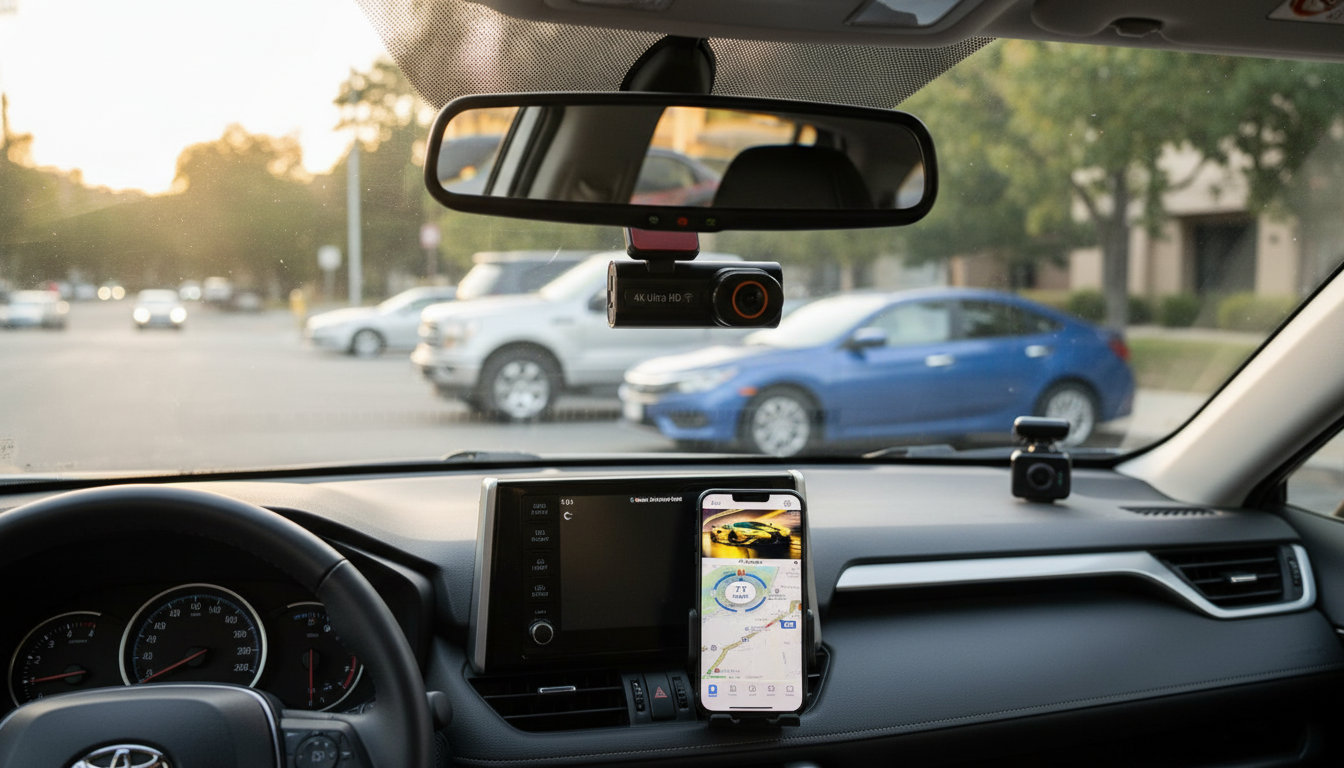
Aprilboy 4K WIFI Dash Cam Mini for Ford, Toyota, Honda
A compact dash cam can add peace of mind without cluttering the windshield. The Aprilboy 4K WIFI Dash Cam Mini is designed to sit discreetly while capturing clear driving footage and letting clips be reviewed and saved through a phone over WiFi. For everyday commuting, rideshare shifts, and long road trips, a low-profile camera can provide useful documentation without making the cabin feel “aftermarket.”
Quick overview
- Mini form factor intended to stay low-profile behind or near the rearview mirror
- 4K recording aimed at preserving detail for plates, signs, and lane markings
- WiFi connectivity for viewing live feed and downloading clips to a phone
- A practical option for daily commuting, rideshare driving, and road trips
What makes this mini dash cam different
- Discreet footprint: Helps keep the windshield area looking factory-clean and reduces driver distraction.
- WiFi workflow: Avoids repeatedly pulling the microSD card just to retrieve a clip after a close call or fender-bender.
- 4K resolution: Higher-resolution footage can improve the odds of readable details at typical following distances, especially in daylight.
- Placement flexibility: Works across common Ford, Toyota, and Honda windshield layouts, with practical mounting options near the mirror (while avoiding sensor housings).
Key features to use day to day
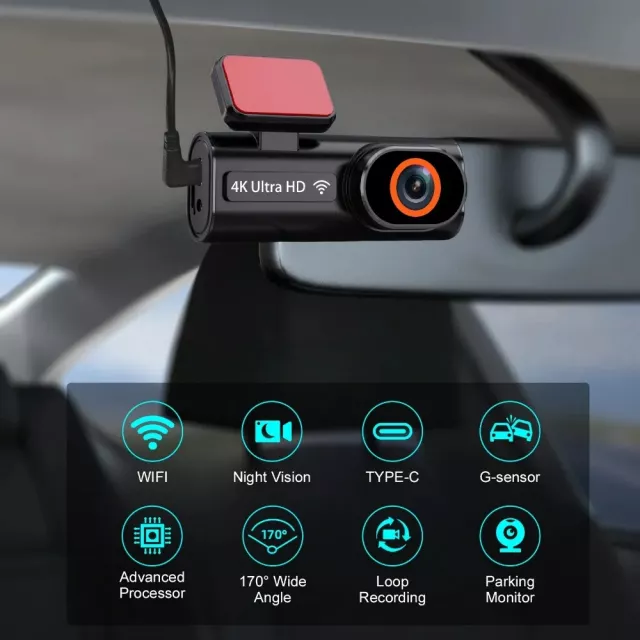
- 4K video capture: Useful for sharper details in bright scenes like lane lines, street names, and traffic signal positions.
- WiFi pairing to a companion app: Focused on playback, clip download, and basic settings so you can manage footage from the driver seat.
- Loop recording: Keeps recording continuously without you having to delete files manually.
- G-sensor event locking: Helps protect important incident clips from being overwritten during sudden braking, a bump, or impact.
- Compact mounting: A cleaner look and simpler positioning—especially helpful when you want the camera “out of sight, out of mind.”
Setup and placement tips for Ford, Toyota, and Honda interiors
Small changes in placement can make a big difference in what your footage captures. The goal is a wide, stable view that doesn’t interfere with driving visibility or vehicle sensors.
- Mount high on the windshield: Typically near the rearview mirror for the broadest forward view while keeping the unit out of direct sightlines.
- Center the horizon: Aim so the horizon sits roughly mid-frame and the hood takes up only a small strip at the bottom.
- Route the cable cleanly: Tuck power along the headliner and down the A-pillar for a tidy install (and fewer dangling distractions).
- Check windshield placement rules: Local regulations can vary, and it’s smart to avoid blocking rain sensors or ADAS camera housings.
- Do a short test drive: Watch for vibration, confirm audio is clear, and verify the view isn’t tilted after bumps.
Using WiFi for playback and sharing
WiFi is one of the most practical day-to-day features on a dash cam because it changes what happens after an incident. Instead of waiting until you get home to pull a card, you can quickly confirm what was recorded and save what matters.
- Connect your phone to the dash cam’s WiFi network to review recordings without removing the card.
- Download incident clips to your phone for quick sharing or backup when needed.
- Adjust common settings (resolution, loop length, sensitivity) and re-check them after firmware/app updates.
- For faster transfers, download shorter clips rather than long continuous files when possible.
For general driving safety guidance and resources, it can be helpful to review materials from the National Highway Traffic Safety Administration (NHTSA). For understanding what insurers may request after a collision, the Insurance Information Institute is another useful reference.
Video quality expectations: daylight, night, and motion
- Daylight: 4K can preserve fine edges like road signs and lane markings when the lens is clean and exposure is balanced.
- Night driving: Readability depends on street lighting, headlight glare, and distance to plates; keep the windshield clean to reduce halos and haze.
- Highway motion: Higher resolution helps, but extreme speed differences, heavy rain, or spray can still limit plate capture.
- Best practice: Set the camera angle once, confirm it with a short drive, then avoid frequent re-adjustments unless the mount shifts.
Recording behavior and incident protection
At-a-glance specifications
| Item | Details |
|---|---|
| Product | Aprilboy 4K WIFI Dash Cam Mini for Ford, Toyota, Honda |
| Video | 4K recording |
| Connectivity | WiFi (phone viewing/download) |
| Form factor | Mini / low-profile |
| Category | Car Accessories |
| Price | $52.51 (USD) |
| Availability | In stock |
Recommended picks (in stock)
- Aprilboy 4K WIFI Dash Cam Mini for Ford, Toyota, Honda — a compact 4K dash cam with WiFi for quick playback and downloads.
- Portable Eye Massager — a simple comfort accessory for long drives and recovery after screen-heavy days.
- 13-Color RGB LED Night Light for Kids — helpful for families who want soft cabin or hotel-room lighting on road trips.
Who this dash cam is best for
Before buying: memory card and maintenance checklist
Common setup issues and quick fixes
FAQ
Does a 4K dash cam always capture license plates clearly?
No—4K can help preserve detail, but plate readability still depends on distance, speed, lighting, headlight glare, and a clean windshield/lens. For best results, mount the camera high and level, keep the glass clean, and avoid aiming too much of the hood into the frame.
How does WiFi on a dash cam work with a phone?
Your phone connects to the dash cam’s built-in WiFi network, then the companion app lets you preview video, play recordings, and download clips locally. This WiFi link is mainly for nearby transfer and control, not automatic cloud uploading unless separately supported.
What microSD card should be used for continuous recording?
A high-endurance microSD card from a reputable brand is recommended for continuous loop recording, sized to match how long you want to keep footage before it overwrites. Formatting the card in the camera regularly helps reduce corruption and recording errors.















Leave a comment