


Audi Wireless CarPlay & Android Auto Adapter: Setup Guide
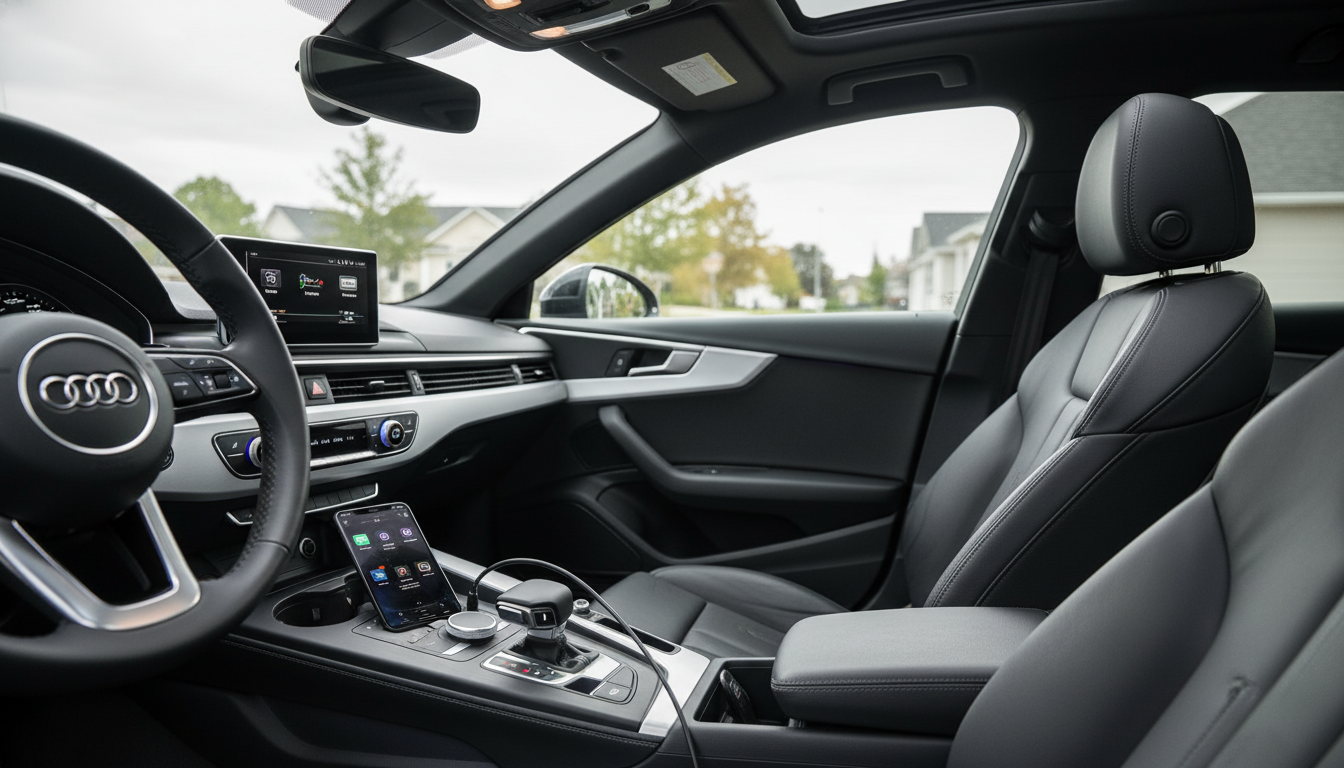
Go Wireless in Your Audi: 2-in-1 CarPlay & Android Auto Adapter
Wireless CarPlay and Android Auto can make daily driving feel simpler—no cable clutter, faster start-up routines, and easier handoffs between drivers. For Audi models such as the A3, A4, and Q5, a 2-in-1 wireless adapter is a practical way to keep your factory infotainment screen and controls while shifting your phone connection from “plug-in” to “pair-and-go.” Below is a clear look at what changes in the cabin, what to verify before buying, how setup usually goes, and what to do if the connection acts up.
What a wireless adapter changes in an Audi cabin
A wireless adapter is designed to work with your existing factory infotainment system—so the display, steering wheel buttons, MMI controls, and the way navigation and media appear stay familiar. The main difference is how your phone “enters” the system.
- Keeps the factory screen and controls while shifting the phone connection from USB cable to wireless.
- Reduces wear on USB ports and phone charging ports from repeated plug/unplug cycles.
- Makes quick trips easier: start the car, the phone connects, and navigation/music resumes.
- Helps multi-driver households by supporting both iPhone (CarPlay) and Android (Android Auto) on one device.
In day-to-day driving, the most noticeable upgrade is convenience: you’re not fishing for a cable every time you hop in the car, and your phone can stay in a pocket, bag, or a secure mount.
Quick compatibility checklist before buying
Wireless adapters don’t “add” CarPlay or Android Auto to a car that never had it. They convert an existing wired projection setup into a wireless one, so a few quick checks can save time.
- The car must already support wired Apple CarPlay and/or wired Android Auto from the factory head unit.
- An active USB data port is required (some vehicles have charge-only ports; the adapter needs data).
- Phone OS should be up to date for stable wireless projection (iOS/Android updates often improve pairing reliability).
- If the vehicle has multiple USB ports, test which one launches the wired CarPlay/Android Auto session—use that port for the adapter.
- Aftermarket head units vary widely; factory-style systems typically have the smoothest results.
When in doubt, do a simple baseline test first: plug your phone in with a known-good data cable and confirm the wired session launches reliably. If the wired experience is inconsistent, wireless will usually inherit those headaches.
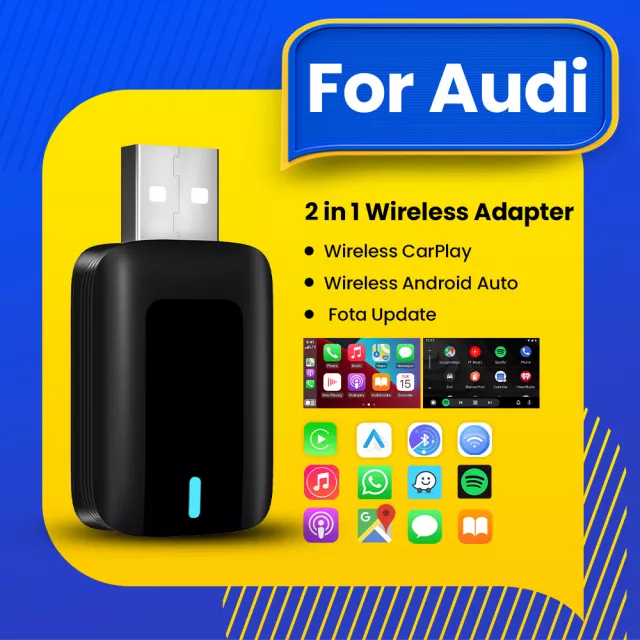
2-in-1 Wireless CarPlay & Android Auto Adapter for Audi A3, A4, Q5 & more
If your Audi already runs wired projection, a compact adapter can act like a “bridge” that stays in the USB data port and handles the wireless handshake each time you start up. A key benefit of a 2-in-1 design is flexibility: iPhone and Android drivers can share the same vehicle without swapping hardware.
- Designed to convert an existing wired CarPlay/Android Auto setup into a wireless experience.
- Works as a single solution for iPhone and Android users—useful for shared vehicles.
- Compact add-on that stays plugged into the vehicle’s USB data port.
- Best results come from a clean pairing environment: remove old Bluetooth pairings and reconnect fresh if needed.
At-a-glance overview
| Item | What it does | Good fit for |
|---|---|---|
| 2-in-1 wireless adapter | Enables wireless CarPlay and wireless Android Auto on compatible factory systems | Audi drivers who already have wired projection and want cable-free convenience |
| USB connection to vehicle | Creates the data link required to start the projection session | Vehicles where the USB port supports data (not charge-only) |
| Wireless phone pairing | Connects via Bluetooth/Wi‑Fi for projection (behavior depends on phone/vehicle) | Drivers who want quick, automatic reconnect on startup |
Recommended in-stock picks:
- 2-in-1 Wireless CarPlay & Android Auto Adapter for Audi A3, A4, Q5 & More
- Portable Eye Massager (nice for decompressing after commutes or long drives)
- 13-Color RGB LED Night Light for Kids (helpful for families doing early pickups or late arrivals)
Setup flow that typically works on the first try
Most first-time pairing issues come from skipping the wired baseline check or using the wrong USB port. A clean, repeatable setup routine helps the adapter “stick” as the default connection.
- Confirm wired CarPlay/Android Auto works with a cable first; if it doesn’t, solve that issue before going wireless.
- Plug the adapter into the same USB port that launches wired CarPlay/Android Auto.
- Enable Bluetooth and Wi‑Fi on the phone; keep the phone unlocked during the first pairing.
- Accept pairing prompts on the phone and any permission prompts on the vehicle display.
- Allow the system a few ignition cycles to stabilize auto-reconnect behavior (some vehicles improve after the first successful session).
For official platform guidance, refer to Apple’s CarPlay setup instructions and Android Auto Help. For Audi-specific connectivity notes (features can vary by trim/year), see Audi USA connectivity.
Real-world performance expectations
Common issues and quick fixes
Daily-use tips for a smoother wireless routine
FAQ
Will this work if the Audi only has wired CarPlay or wired Android Auto?
Yes—this type of adapter is meant to convert an existing wired CarPlay/Android Auto setup into a wireless connection. It won’t add CarPlay/Android Auto to an Audi that never supported it from the factory.
Does it support both iPhone and Android in the same car?
Yes, a 2-in-1 adapter supports both CarPlay (iPhone) and Android Auto (Android). Typically only one phone connects at a time, and switching drivers may require toggling Bluetooth/Wi‑Fi or selecting the preferred device in the car’s menu.
What should be checked if it won’t connect?
Verify you’re using a USB data port and confirm wired CarPlay/Android Auto works first. Then remove old Bluetooth pairings, reboot the phone and infotainment system, try another USB port if available, and re-pair from scratch.















Leave a comment